
Post content has been hidden

To unblock this content, please click here

L
Just Said Yes September 2013

Keeping RSVP Private on WeddingWire?

Luke, on February 19, 2013 at 10:36 AM Posted in Etiquette and Advice 0 22

My fiancee and I have noticed that with WeddingWire's RSVP tool, guests are able to type in whatever name they want and view or edit that person's RSVP, even if it's not their own. This is an issue since we are having a smaller ceremony for family and a few close friends and wouldn't like people to know who is invited to what.

Is there a good method for keeping RSVPs private online on WeddingWire or another online RSVP tool?

Thanks!

22 Comments

Latest activity by Rebecca, on August 5, 2020 at 2:19 PM
  • WWLeeor
    VIP June 2020
    WWLeeor ·
    • Flag
    • Hide content

    Welcome to the WW Community @Luke B! Please write to support@weddingwire.com and they may be able to help you out! Smiley smile

    • Reply
  • Tatiana
    VIP September 2013
    Tatiana ·
    • Flag
    • Hide content

    I am also having a smaller ceremony. I am using the website RSVP tool, but just for the reception. I will have the guests invited to the ceremony RSVP for that a different way.

    • Reply
  • Just Reenski
    Master December 2012
    Just Reenski ·
    • Flag
    • Hide content

    You can hide the RSVP page on your page by clicking the "Available" link on the row where it is listed.

    Also, with the WW RSVP tool, the only guests that would be able to find their name are those you have listed on your guest list. I can't go to your site and RSVP because you don't have my name.

    But it sounds like hiding it would be your best bet for now. You can also password protect it so only those you WANT going to the site would be able to do so.

    • Reply
  • Just Reenski
    Master December 2012
    Just Reenski ·
    • Flag
    • Hide content

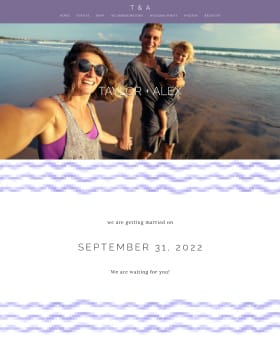
    Here's a picture of what I mean about hiding the RSVP page.


    • Reply
  • Lady Firefly
    Master October 2014
    Lady Firefly ·
    • Flag
    • Hide content

    I like the password protect feature but it protects the whole site. I wish it only protect certain pages.

    • Reply
  • NJ Bride 2013
    Devoted June 2013
    NJ Bride 2013 ·
    • Flag
    • Hide content

    Reenski - I think the question is about individual RSVP's. Like my friend Anna can search for my uncle Louie and RSVP for Louie. How can you really tell if it's Anna or Louie?

    If this isn't the Original Poster's question - it's certainly mine.

    I used the RSVP function for our engagement party and got about 30% of RSVP's on there, but the final count wasn't really a big deal if it was off by a few people incorrectly RSVPing.

    • Reply
  • Just Reenski
    Master December 2012
    Just Reenski ·
    • Flag
    • Hide content

    You can set it to require both first and last name, so unless all your guests know everyone else's full name, they wouldn't be able to look for people all willy nilly.

    Otherwise, there is no way around that. We had many repeating names in our family, and one member did accidentally RSVP for another, but I don't think that anyone was being nosy and looking up all possible names to see who was invited.

    @Luke, if what Heather said is your actual question, there's no way around it on any of the wedding websites that I know of. A friend bought a domain for her wedding website and did online RSVPs where you simply give your name (rather than searching), but that can open it up to people adding unwanted guests.

    Perhaps you can tell us what your end goal is and we can help you that way? Same for you, Heather.

    • Reply
  • NJ Bride 2013
    Devoted June 2013
    NJ Bride 2013 ·
    • Flag
    • Hide content

    I didn't know you could set it to require first and last name!

    We have a lot of repeating names in our family also. I put them into separate households with like the head of their family in the household name. so my cousin john smith is part of the Smith Family - Aunt Rose, and another John Smith is part of the Smith Family - Aunt Anna. they can tell which one they should be RSVPing under. I think that made it easier for guests to know if they were submitting for the right person.

    I don't think it would happen that people would search for someone else and RSVP, just wondering if it was possible to block that from happening at all. I guess confirmation would be the email address they put in, I know everyone's emails. is that required to submit the RSVP or is it optional?

    Edit: Sorry I hijacked your post Luke!!! :-)

    • Reply
  • Just Reenski
    Master December 2012
    Just Reenski ·
    • Flag
    • Hide content

    Well, as far as being able to tell them apart, your guest list here on WW would also track it, so you'd be able to see which household each person RSVP'd for. I don't think an email is required, but many of my guests put one in to receive confirmation.

    So your concern is that the repeating names will see each others households, am I understanding you?

    @Luke, also sorry we've hijacked your thread, but hopefully this might help you as well when you return!

    • Reply
  • NJ Bride 2013
    Devoted June 2013
    NJ Bride 2013 ·
    • Flag
    • Hide content

    I don't think there's really a problem at all, i was just curious if it was possible to "hide" guests from seeing other guests at all.

    • Reply
  • Just Reenski
    Master December 2012
    Just Reenski ·
    • Flag
    • Hide content

    Oh, okay. No. Smiley smile

    I mean, with a search, it wouldn't really work, you know? Especially with the repeating names.

    In theory, if someone knew code and whatnot, you could build a form and guests could possibly put in an assigned number/password that would bring up just their household -- I doubt that is something the free websites would do because it'd be a bit of a hassle, but perhaps it's something that could be built elsewhere?

    • Reply
  • L
    Just Said Yes September 2013
    Luke ·
    • Flag
    • Hide content

    Thanks for your help, everyone! So it sounds like we might be out of luck and will have to do separate RSVPs for those invited to the ceremony. Unfortunately, we just know we have some nosy friends who will want to see who is invited to the ceremony if they're not.

    It would be a nice feature to be able to generate unique URLs for each household so they wouldn't be able to search for other names.

    Thanks again!

    • Reply
  • WWLeeor
    VIP June 2020
    WWLeeor ·
    • Flag
    • Hide content

    Hi everyone! @Reenski, as always thanks for your help!!! Does anyone have any suggestions how we could prevent guests from searching for other guests on our RSVP platform?

    • Reply
  • Just Reenski
    Master December 2012
    Just Reenski ·
    • Flag
    • Hide content

    The only thought I had is that you can assign guests a number (similar to how we suggest numbering RSVPs since some guests forget to write in their names.) Even still, if I'm #107, I could easily search a bunch of other random numbers and see what comes up.

    I think that as long as it's a search of any kind, you can't really stop someone from doing it (though why would people do that? That's so weird and rude and other things.) Every other idea I have that requires someone tyiping in a name could be abused. And just having guests say "Hey, it's Reenski, me and H will be there!" still leaves the possibility of people adding random plus ones.

    • Reply
  • Megan
    Expert April 2013
    Megan ·
    • Flag
    • Hide content

    Our wedding website is on mywedding.com (cause we found that site first and already had our info printed... oh well) but theirs is set up where you can enter your name and a drop down box for # of guests and it opens a box for each name to be entered (which i can limit only x# per rsvp) but its a over all so i could say only 3 per rsvp but that would apply to all rsvps not just specific ones. But you can't search the names if you're just on the site. So you would have to password protect the page first to keep out extras. I get an email and it keeps track on the website.

    • Reply
  • Rebecca
    Just Said Yes October 2015
    Rebecca ·
    • Flag
    • Hide content

    I'm having this same issue! My website is password protected and guests need to enter both first and last names to RSVP. However we have learned that guests can see all other guests who have been invited, and their RSVP status. Currently, guests can see anyone else within that group (ie all my relatives can see the guests under Bride's Family, my fiance's family can see everyone within Groom's fam, etc.) I need to disable this function! My fiance and I are now mitigating some heated arguments in our families and among friends over who has been invited and who has not. There MUST be a way to keep this private! If not, then Weddingwire owes it to their users to state somewhere what guests will be able to see what what they cannot.

    • Reply
  • E
    Just Said Yes January 2016
    Ephesians 5:25-27 ·
    • Flag
    • Hide content

    Hi Rebecca, did you ever get it figured out? I'm having the same issue now and I'd love some hep.

    • Reply
  • Dannica
    Just Said Yes August 2016
    Dannica ·
    • Flag
    • Hide content

    Wow I hope WW gets this fixed! This is a very stupid system and I hope I found out about this before I decided to sign up with WW. Too late for me now. Regret.

    • Reply
  • R
    Just Said Yes February 2019
    Rosetta ·
    • Flag
    • Hide content

    After many years, the system (WW) is not fixed yet. Anyone RSVP for anyone.

    • Reply
  • B
    Just Said Yes May 2019
    Brenna ·
    • Flag
    • Hide content
    View Quoted Comment

    It wouldn't work on paper, but if the link to RSVP was sent via email, it could be sent with a hash that could be decoded and each link would be a response to a specific request.

    The only other way is to make each guest sign (create a password)

    • Reply

You voted for . Add a comment 👇

×
WeddingWire celebrates love ...and so does everyone on our site! Explore how we embrace diversity

Groups

WeddingWire article topics