


















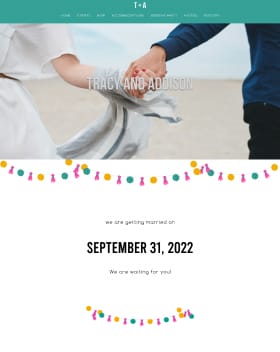



New England aka Massachusetts roots. Boston Red Sox, LEGO and Disney sums up accents that will be at the wedding.
- Just Said Yes
- 6 points
Happily married 🎉
April 25, 2020
Wall


Lynnie commented:
2560 days agoBye bye budget! 💸 Come share where you splurged and where you saved in this week's game: Splurge or Save? https://www.weddingwire.com/wedding-forums/splurge-or-save/622a68c623fb3672.html

Clíodhna commented:
2587 days agoWhat color suits will your groomsmen be sporting? Chime in with your color choice in this discussion: https://www.weddingwire.com/wedding-forums/groomsmen-suits-what-color/0fba9b4aa28486ea.html

Jo commented:
2621 days agoWell it definitely is set as a groom now, so there won't be any more confusion there. As for the Budget Tool you can click into any expense category and edit the estimated cost and the final cost, and add new expenses. We have a tool overview here - https://engagedsupport.weddingwire.com/hc/en-us/articles/115003776186-Budget-Tool-Overview

shawn commented:
2621 days agoAlso, how come you can't edit the individual sections of the budget planner? it gives you estimated spend on each section but doesn't let you change anything.
shawn commented:
2621 days agoi checked my settings and it definitely said groom, as i made sure to set this up originally. not sure where you saw bride. I familiarized myself with the settings when i first signed up to reduce any confusion for groups working with me. thanks though :).
Jo commented:
2621 days agoHey Shawn! I'm sorry about that. When your account was created it was set up as a bride account, but it's a very simple fix in your account settings to update it. I've gone ahead and marked you as a groom so you won't get the wrong messages anymore!
shawn commented:
2621 days agoi am planning my wedding, i am not a bride i am a groom are you sexist?