Post content has been hidden

To unblock this content, please click here

Abby
Super April 2012

Vistaprint rant...... Ahhhh!!!!

Abby, on January 26, 2012 at 1:48 PM Posted in Planning 0 5

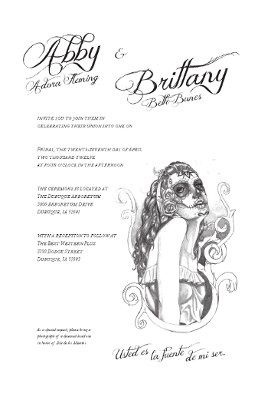
We bought a groupon for Vista Print, thought it would be awesome to upload the design for our invites a graphic artist friend special made us. Well, It's time to order them so I upload them and it's cutting off parts of the the invites and RSVP cards. She designed them to fit on a 5x7 invite and 5x3.5 postcard for RSVP's.

The invites and postcards I was attempting to upload the images on were 6x9 and 5.47x4.21

They should fit!!!! Granted we only paid 17 dollars for the groupon but we were saving so much money. Now I don't know where to go to print them bc I'm worried about trying it on-line again. And I'm cranky that we now have to spend way more money than we anticipated on printing our invites!!! She put so much work into them, I just want them to be perfect.

I think I'm having my first major wedding freak out with 3 months left until the wedding!!!

5 Comments

Latest activity by Abby, on January 26, 2012 at 2:24 PM
  • Hayley C™
    Master March 2008
    Hayley C™ ·
    • Flag
    • Hide content

    It is on a white background, correct?

    So are you ok if the border is a little wider?

    Go back... open the blank invite (upload completed design)

    Click on "previous uploaded design"

    Select the designated design.

    Select "ok" or "continue" or "next" whatever it is. (I know, it isn't fitting, move on)

    Click the "advance edit" link if you are not already there.

    Now, once you are on Advance edit, click on the image.

    You should get a drop down menu.

    Select "Delete"

    You now have a blank invite again.

    Click on "Add image"

    Click on "My images"

    Click on the proper image Again.

    This time it should be Smaller.

    Click on the image and stretch it to the correct size.

    Again, if for some reason the image isn't the exact size of the invite, there will be a little more of a white border than you originally planned, but it will all be on there.

    ~ hope this helps ~

    (another question.... did she download the template that went with the perspective items before she started designing?)

    • Reply
  • Jen P.
    Master January 2012
    Jen P. ·
    • Flag
    • Hide content

    If you want, go back to "edit" mode and select "advance edit"... you'll want to delete the picture as the background. Once it is blank, go to the toolbar and select the image button to add an image. Once you upload the design, you should be able to stretch it to fit within the inside box so it won't cut off..

    I'd show pictures, but I can't from this computer! lol sorry.. hope that helps.

    Did you already order them?

    • Reply
  • Jen P.
    Master January 2012
    Jen P. ·
    • Flag
    • Hide content

    Lol Hayley to the rescue!

    • Reply
  • Hayley C™
    Master March 2008
    Hayley C™ ·
    • Flag
    • Hide content

    Just re-read it.. and saw they are designed for a different layout... but yes, if you follow my directions, you should be able to stretch it to the size you want.

    Let me know if you need any other help.

    Smiley smile

    • Reply
  • Abby
    Super April 2012
    Abby ·
    • Flag
    • Hide content

    Thanks so much!!!! Hopefully it works for me!!!!

    • Reply

You voted for . Add a comment 👇

×
WeddingWire celebrates love ...and so does everyone on our site! Explore how we embrace diversity

Groups

WeddingWire article topics